
Operators & Decisions
Compare readings, combine conditions and choose what the sketch does with if, else if and switch.
Comparing values
A comparison is either true or false. C++ has six comparison operators: == (equal), != (not equal), <, <=, > and >=.
An if statement runs its block only when the condition is true. else gives the other path. Watch out: a single = stores a value, a double == compares two values.
Deciding with if and else
Change temperature to 20 and press Run again to see the other branch.
Fan ON
Above the threshold?
reading is a value from analogRead(), between 0 and 1023. Print the reading, then HIGH if it is 512 or more and LOW if it is below 512 - exactly as in the sample.
Reading 700: HIGH
Even or odd pulse count
A counter has recorded pulses pulses. Print whether that count is even or odd, as in the sample. A number is even when dividing by 2 leaves no remainder - use %.
7 pulses: odd
Battery level bands
Turn a battery voltage into a status word:
- 4.00 V or more:
Full - 3.60 to 3.99 V:
Good - 3.30 to 3.59 V:
Low - below 3.30 V:
Critical
Print it like the sample, using an if / else if / else chain.
3.70 V: Good
Combining conditions
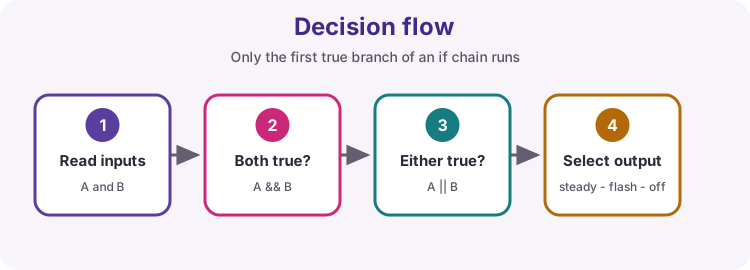
&&(AND) is true only when both sides are true.||(OR) is true when at least one side is true.!(NOT) flips true and false.
Brackets make mixed conditions clear: (a && b) || c.
AND, OR and NOT
Predict the output before you press Run. Then change alarmArmed to true.
Check the room
Alarm is not armed
Pump interlock
A pump may only run when its switch is on and the tank is not yet full. Print Pump running when both are true, and Pump stopped otherwise.
Pump running
Thermostat with a dead band
A heater should not click on and off every time the temperature wobbles. Use these rules:
- below 18 °C: switch the heater on
- above 22 °C: switch the heater off
- from 18 to 22 °C: leave
heaterOnas it is
Update heaterOn, then print the temperature and the heater state like the sample.
17.50 C: heater ON
Fix the = bug
This sketch always reports five presses - and it even changes the count! Find the bug and fix it. Read the compiler warning: it points straight at the problem.
Not five presses
buttonPresses = 3
Choosing with switch
switch compares one whole number or character with several fixed values. break ends each case; default catches everything else.
Green
Mode selector
A rotary switch sets mode: 1 is Manual, 2 is Auto, 3 is Test. Anything else is Unknown. Print the mode with a switch, exactly as in the sample.
Mode 2: Auto
Is the supply within tolerance?
A 5 V supply is acceptable while it stays within 5 % of 5.00 V. Work out the allowed range from nominal, then print whether measured is inside it, as in the sample.
Work it out - the tests change both values.
4.85 V: inside tolerance
Try it on a real Uno
Download Above the threshold?, replace the fixed reading with int reading = analogRead(A0); inside loop(), add delay(500); and upload it with a potentiometer on A0. Turn the knob and watch HIGH and LOW swap over as you pass the middle.