
Loops & Arrays
Repeat work with for and while loops, drive an LED from a loop, store readings in an array and process them - totals, maximums and smoothing.
Repeating with a for loop
A for loop has three parts in its brackets: where to start, the condition to keep going, and the step after each pass: for (int i = 1; i <= 5; i++).
A while loop only has a condition. Use it when you do not know in advance how many passes you need.
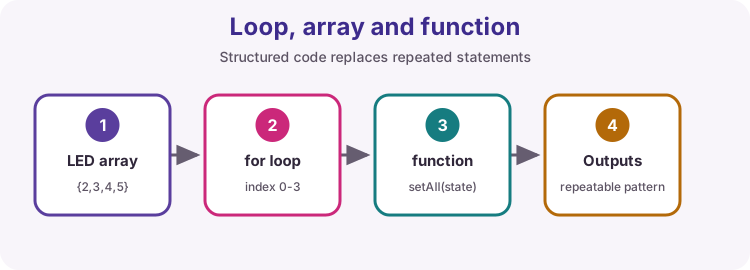
Counting with for
The loop body runs once for each value of i.
i = 1
i = 2
i = 3
i = 4
i = 5
Done
Countdown to start
Count down from start to 1, one number per line, then print Motor start!. Use a loop - the tests change start.
10
9
8
7
6
5
4
3
2
1
Motor start!
Blink exactly five times
Flash the onboard LED five times in setup() - 200 ms on, 200 ms off each time - then leave it off. Use a for loop for the five flashes, not five copies of the code.
PWM duty table
analogWrite takes a duty value from 0 to 255. Print a reference table in steps of 51, with each duty as a whole-number percentage, exactly as in the sample.
duty 0 = 0 %
duty 51 = 20 %
duty 102 = 40 %
duty 153 = 60 %
duty 204 = 80 %
duty 255 = 100 %
A while loop
This loop does not know how many passes it needs - it stops when value reaches 100 or more.
1
3
9
27
81
Many readings in one array
An array stores several values of the same type under one name. Positions start at 0, so int readings[5] has positions 0 to 4. readings[i] reads position i.
sizeof(readings) / sizeof(readings[0]) works out how many elements an array has, so the loop keeps working if you add values. Reading outside the array is a classic bug: the Uno does not stop you, it just reads some other memory. The simulator warns you instead.
Looping over an array
COUNT is calculated from the array itself, so the loop always visits every element.
COUNT = 4
readings[0] = 12
readings[1] = 7
readings[2] = 15
readings[3] = 9
total = 43
Total the readings
readings holds five values from a sensor. Add them all up with a loop and print the total. Keep the total in a long so large readings cannot overflow.
Total: 2565
Average of five readings
The total is already worked out for you. Turn it into an average with two decimals and print it as in the sample.
Average: 513.00
Find the largest reading
Find the largest value in readings and print it. The tests include an array where every value is negative, so think about what your starting value should be.
Max: 9
Where was the peak?
Knowing the largest reading is useful; knowing when it happened is better. Keep track of the position as well, and print both. If the value appears twice, report the first one.
Max: 9 at position 1
Newest reading first
Print the five values in reverse order on one line, separated by spaces, then end the line.
5 4 3 2 1
Smooth out a spike
Real sensors are noisy - look at the 900 spike in samples. A moving average smooths the signal by averaging the last 4 samples. For every position end from 3 to 9, print the whole-number average of samples[end - 3] to samples[end], as in the sample.
This is how you steady analogRead values in Lessons 10 and 20.
avg[3] = 502
avg[4] = 602
avg[5] = 598
avg[6] = 602
avg[7] = 603
avg[8] = 503
avg[9] = 500
Try it on a real Uno
Download Blink exactly five times and upload it. The five flashes run once at reset - press the reset button to see them again.
Then take Total the readings further on real hardware: fill the array with readings[i] = analogRead(A0); inside a loop with a short delay, and print the average of a real potentiometer instead of fixed numbers.