
11. Non-Blocking Timing & State Machines
Run several timed tasks together without delay(), debounce a button alongside them, and sequence timed steps with a state machine.
Learning outcomes
- Explain why delay blocks other work in loop
- Apply the millis pattern: remember, compare, act, stamp
- Run independent timers for two LEDs at different rates
- Debounce a button with millis without calling delay
- Sequence timed steps with a state variable (a state machine)
- Use unsigned long for every millis timestamp
Parts and preparation
Uno, two LEDs with 330 ohm resistors, one push-button and jumpers. For the state machine example: red, amber and green LEDs with 330 ohm resistors.
Before power: inspect wiring, confirm supply voltage and ensure all connected circuits share GND.
Why delay blocks
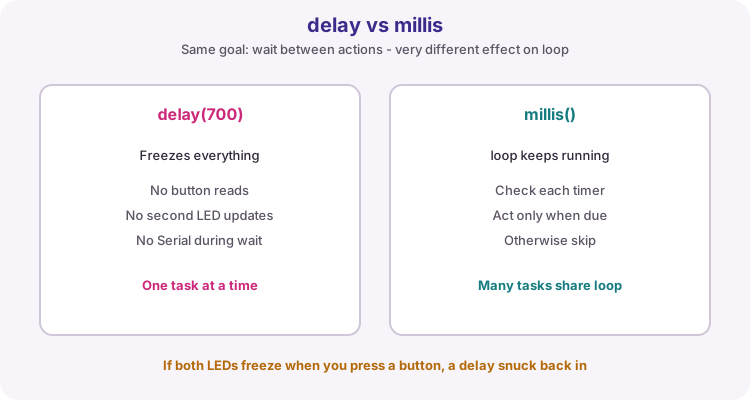
delay(ms) freezes the whole sketch until the wait ends. During that freeze, loop cannot read buttons, update a second LED, print Serial, or service sensors.
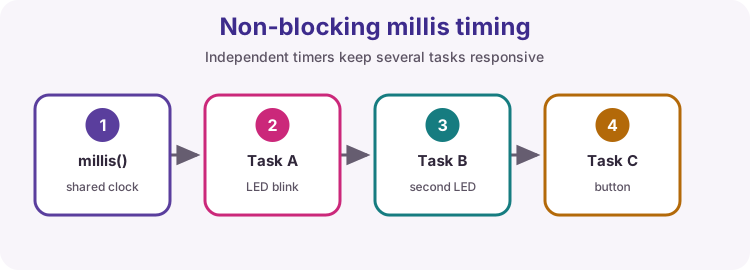
millis() returns milliseconds since the board started and keeps counting while your code runs. Instead of sleeping, you check whether enough time has passed since the last action for each task.
The millis pattern
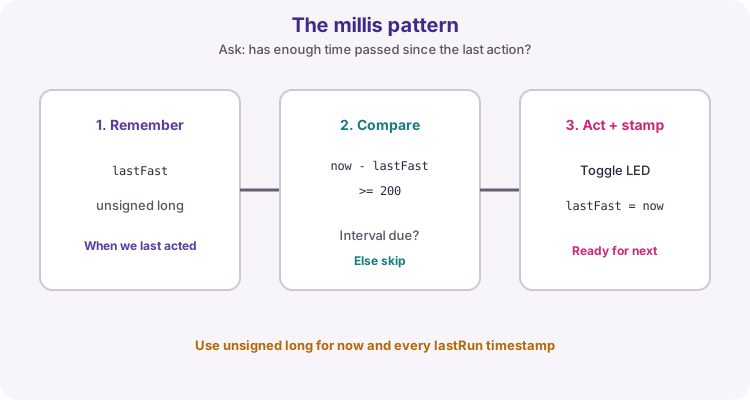
For each timed task: store the last time you acted, compare against the interval, act when due, then update the stamp.
Pseudocode: if (now - lastRun >= interval) { lastRun = now; doWork(); }
unsigned long now = millis();
if (now - lastFast >= 200) {
  lastFast = now;
  fastState = !fastState;
  digitalWrite(ledFast, fastState);
}
Independent timers
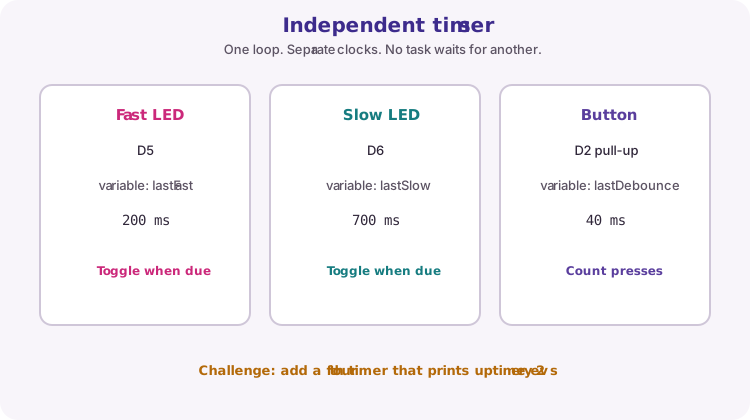
Each task needs its own lastRun variable and its own interval. The worked sketch blinks D5 every 200 ms and D6 every 700 ms while still watching a button.
Tasks share loop but do not wait for each other. If one LED rate looks wrong, check that task's interval and stamp - not the other task.
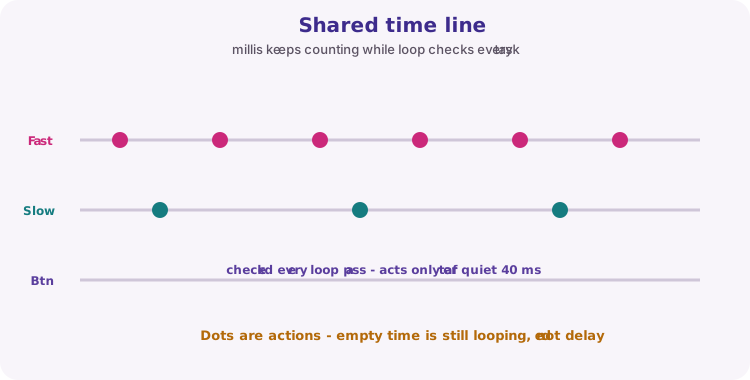
Shared timeline
Imagine millis as a shared clock. Fast toggles happen often, slow toggles less often, and the button is checked on every loop pass. Empty gaps are not delay - loop is still spinning and checking.
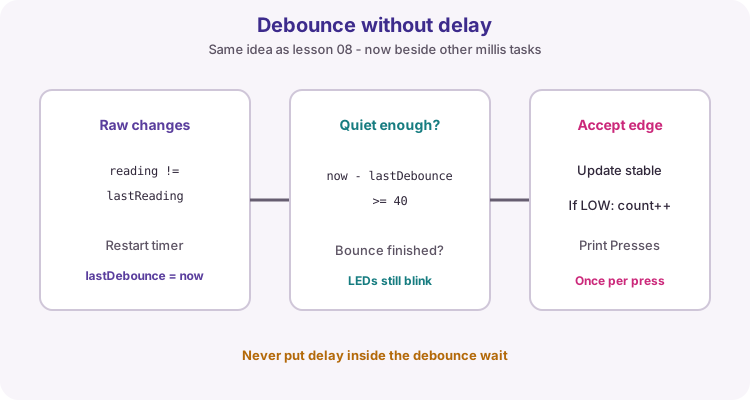
Debounce without delay
Mechanical buttons bounce. Lesson 10 used a millis debounce; here it sits beside the LED timers.
When the raw reading changes, restart lastDebounce. Only after about 40 ms of quiet, and only if the reading differs from the last stable state, accept the new edge. On a stable press to GND (LOW with INPUT_PULLUP), increment the press count.
State machines: one variable, many steps
A state machine stores which step a behaviour is in, in one variable. Each pass of loop() asks two questions: which state am I in, and is it time to leave it? Each state can last a different time and switch different outputs, which a plain blink cannot do.
Write the states as a table first - state, outputs, how long, next state - then turn each row into one branch. Record stateStart whenever the state changes, so elapsed time is measured from the start of the current step. The same shape runs alarm sequences, motor start-up and the practical assessment tasks.
| State | Outputs | Lasts | Next state |
|---|---|---|---|
| RED | Red on | 4 s | GREEN |
| GREEN | Green on | 3 s | AMBER |
| AMBER | Amber on | 1 s | RED |
unsigned long elapsed = millis() - stateStart;

if (state == RED && elapsed >= 4000) {
  state = GREEN;
  stateStart = millis();
  showLights(false, false, true);
} else if (state == GREEN && elapsed >= 3000) {
  state = AMBER;
  stateStart = millis();
  showLights(false, true, false);
} else if (state == AMBER && elapsed >= 1000) {
  state = RED;
  stateStart = millis();
  showLights(true, false, false);
}
unsigned long and overflow
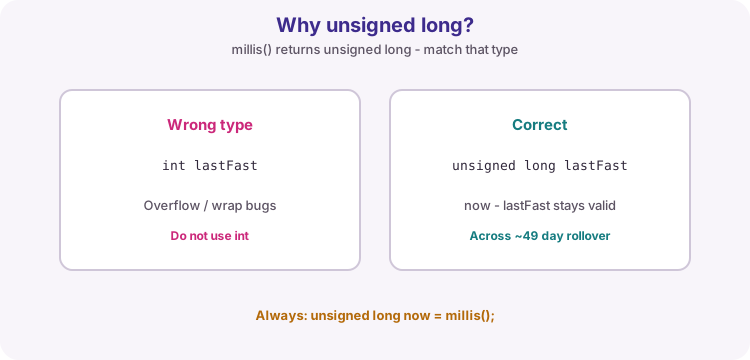
millis() returns unsigned long. Store every timestamp as unsigned long too. Using int will break as time grows.
After about 49 days millis rolls over to zero. The subtraction now - lastRun still works correctly with unsigned long arithmetic, so do not rewrite the pattern with signed types or absolute millis comparisons.
| Item | Course practice |
|---|---|
| Clock | unsigned long now = millis(); |
| Each task stamp | its own unsigned long lastX |
| Compare | now - lastX >= interval |
| Update | lastX = now after the action |
Wiring and safe build sequence
- D5 -> 330 ohm -> LED1 -> GND
- D6 -> 330 ohm -> LED2 -> GND
- Button from D2 to GND; use INPUT_PULLUP
Worked sketch
Download .ino sketchconst byte ledFast = 5;
const byte ledSlow = 6;
const byte buttonPin = 2;
unsigned long lastFast = 0;
unsigned long lastSlow = 0;
unsigned long lastDebounce = 0;
bool fastState = false;
bool slowState = false;
bool lastStable = HIGH;
bool lastReading = HIGH;
unsigned int pressCount = 0;
void setup() {
pinMode(ledFast, OUTPUT);
pinMode(ledSlow, OUTPUT);
pinMode(buttonPin, INPUT_PULLUP);
Serial.begin(9600);
}
void loop() {
unsigned long now = millis();
if (now - lastFast >= 200) {
lastFast = now;
fastState = !fastState;
digitalWrite(ledFast, fastState);
}
if (now - lastSlow >= 700) {
lastSlow = now;
slowState = !slowState;
digitalWrite(ledSlow, slowState);
}
bool reading = digitalRead(buttonPin);
if (reading != lastReading) {
lastDebounce = now;
lastReading = reading;
}
if ((now - lastDebounce) >= 40 && reading != lastStable) {
lastStable = reading;
if (lastStable == LOW) {
pressCount++;
Serial.print("Presses: ");
Serial.println(pressCount);
}
}
}How the code works
- Each LED has its own timer so the rates stay independent.
- The debounce window is 40 ms and does not call delay.
- Use unsigned long for every millis timestamp.
- INPUT_PULLUP: open reads HIGH, pressed to GND reads LOW.
Example 2: traffic light state machine
Download .ino sketchWhat this sketch is for: Red, green and amber LEDs step through a sequence with a different time for each state. loop() never waits, so a button or sensor could be added without changing the timing.
const byte redPin = 8;
const byte amberPin = 9;
const byte greenPin = 10;

const byte RED = 0;
const byte GREEN = 1;
const byte AMBER = 2;

byte state = RED;
unsigned long stateStart = 0;

void showLights(bool red, bool amber, bool green) {
  digitalWrite(redPin, red);
  digitalWrite(amberPin, amber);
  digitalWrite(greenPin, green);
}

void setup() {
  pinMode(redPin, OUTPUT);
  pinMode(amberPin, OUTPUT);
  pinMode(greenPin, OUTPUT);
  Serial.begin(9600);
  showLights(true, false, false);
  Serial.println("RED");
}

void loop() {
  unsigned long elapsed = millis() - stateStart;

  if (state == RED && elapsed >= 4000) {
    state = GREEN;
    stateStart = millis();
    showLights(false, false, true);
    Serial.println("GREEN");
  } else if (state == GREEN && elapsed >= 3000) {
    state = AMBER;
    stateStart = millis();
    showLights(false, true, false);
    Serial.println("AMBER");
  } else if (state == AMBER && elapsed >= 1000) {
    state = RED;
    stateStart = millis();
    showLights(true, false, false);
    Serial.println("RED");
  }
}
How the code works
- Named constants RED, GREEN and AMBER make the state variable readable.
- Each branch checks its own state and its own duration, then records stateStart for the next step.
- showLights() sets all three outputs at once, so no state can leave a stray LED on.
- Wiring: D8, D9 and D10 each through 330 ohm to the red, amber and green LED anodes; cathodes to GND.
Test and record evidence
Practical evidence checklist
Common faults and checks
- If both LEDs freeze when the button is held, a delay was introduced somewhere.
- Missed presses usually mean the debounce time is too long or the button wiring is wrong.
- Wrong blink rate: check that task's interval and that lastX is updated only when the action runs.
- Confirm LED polarity and 330 ohm series resistors on D5 and D6.
- Button: pinMode INPUT_PULLUP and switch to GND only.
- State machine skips a state or races through: stateStart is not being updated when the state changes.
Check your understanding
Q1. Why avoid long delay calls?
Show answer
They stop loop from servicing other tasks.
Q2. Why use unsigned long with millis?
Show answer
millis returns unsigned long; correct overflow math needs matching types.
Q3. What does each timed task need?
Show answer
Its own lastRun stamp and its own interval.
Q4. When do you update lastFast?
Show answer
After the fast LED action runs, set lastFast = now.
Q5. What does the state variable in a state machine store?
Show answer
Which step of the sequence is running now.