
33. Introducing the ESP32 Family
Meet ESP32, ESP32-C3, ESP32-C5, ESP32-C6 and ESP32-P4, compare them with the Uno, and install Espressif support in Arduino IDE 2.
Learning outcomes
- Explain how ESP32-class boards differ from Arduino Uno R3
- Compare classic ESP32, ESP32-C3, ESP32-C5, ESP32-C6 and ESP32-P4 at a high level
- Add the Espressif ESP32 board package in Arduino IDE 2
- Select a matching board definition and upload a first sketch
- Apply 3.3 V I/O safety when moving from 5 V Uno labs
Parts and preparation
Arduino IDE 2, USB data cable, and one ESP32-family development board (classic ESP32 DevKit, C3, C5, C6 or P4). Optional: LED + series resistor rated for 3.3 V logic.
Before power: inspect wiring, confirm supply voltage and ensure all connected circuits share GND.
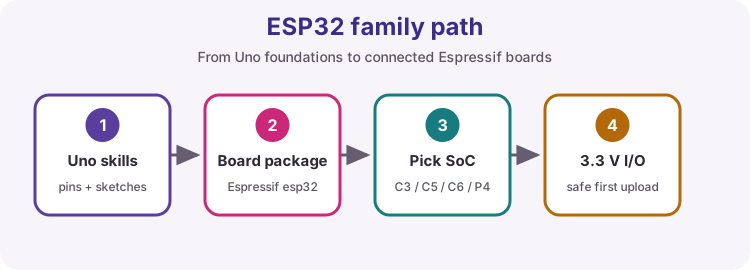
What is the ESP32 family?
ESP32 is a family of microcontrollers from Espressif. Most members are used for Wi-Fi and Bluetooth projects; ESP32-P4 is the high-performance HMI / edge-compute branch and does not include on-chip Wi-Fi or Bluetooth. Unlike the classic Uno R3, you program these boards from Arduino IDE with the Espressif board package.
This unit introduces the family after you already understand Uno pins, sketches and safe wiring. Later ESP32 projects build on that foundation - they are not a replacement for the Uno labs in Units A-F.
ESP32 versus Arduino Uno R3
Same IDE workflow idea (setup/loop), very different hardware. Treat voltage and pin maps carefully when you switch boards.
| Feature | Arduino Uno R3 | Typical ESP32-family board |
|---|---|---|
| Maker / MCU | Arduino / ATmega328P (8-bit AVR) | Espressif / ESP32-class SoC |
| CPU class | 16 MHz single core | Much faster; Xtensa or RISC-V (single- or dual-core) |
| Memory | 32 KB Flash, 2 KB SRAM | Megabytes of Flash, hundreds of KB SRAM (varies by module) |
| Logic voltage | 5 V I/O | 3.3 V I/O - do not feed 5 V into pins |
| Wi-Fi / Bluetooth | None on-board | Most chips: Wi-Fi and usually Bluetooth; ESP32-P4 needs a companion radio for wireless |
| ADC | 6 × 10-bit (A0-A5) | Multiple ADC channels; check the module pinout |
| USB / programming | USB-B serial bridge | USB-UART or native USB-C (board-dependent) |
| IDE support | Arduino AVR Boards | esp32 by Espressif Systems (Board Manager) |
| Shields / 5 V modules | Uno ecosystem | Often need level shifting or 3.3 V-safe modules |
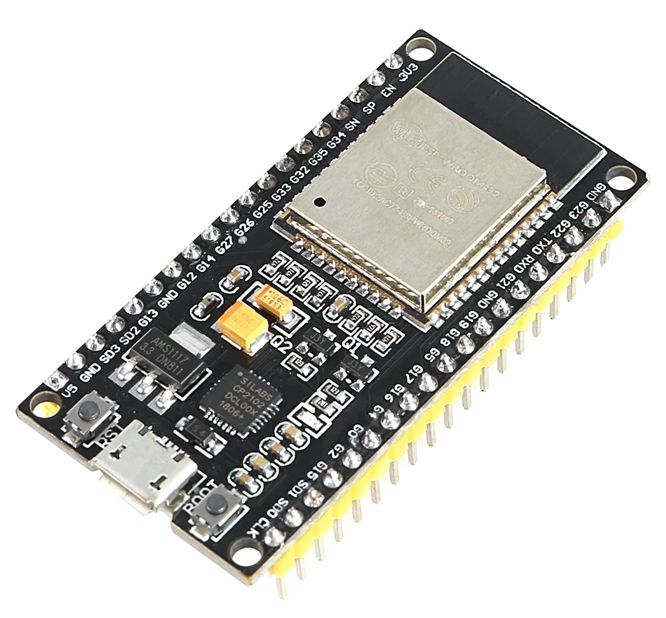
Classic ESP32 (DevKit / WROOM class)
The original ESP32 (often sold as ESP32-DevKitC or ESP32-WROOM modules) uses Xtensa dual-core CPUs with 2.4 GHz Wi-Fi and Bluetooth Classic/BLE. It is the most common "ESP32" learners mean. Pin labels are module-specific - always use your board's silkscreen and datasheet, not Uno D-numbers. The example photo is a common 38-pin DevKit V1 style board (ESP-WROOM-32, Micro-USB).
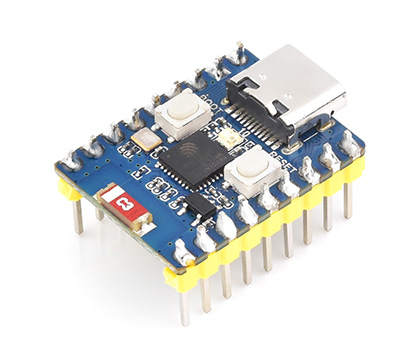
ESP32-C3
ESP32-C3 is a cost-focused RISC-V single-core chip with 2.4 GHz Wi-Fi 4 and Bluetooth LE. It is a strong budget step into Wi-Fi when you do not need the dual-core classic ESP32 or Thread/Zigbee radios. The example photo is a Waveshare ESP32-C3-Zero - a compact USB-C board; always match the IDE board entry and GPIO labels to your module.
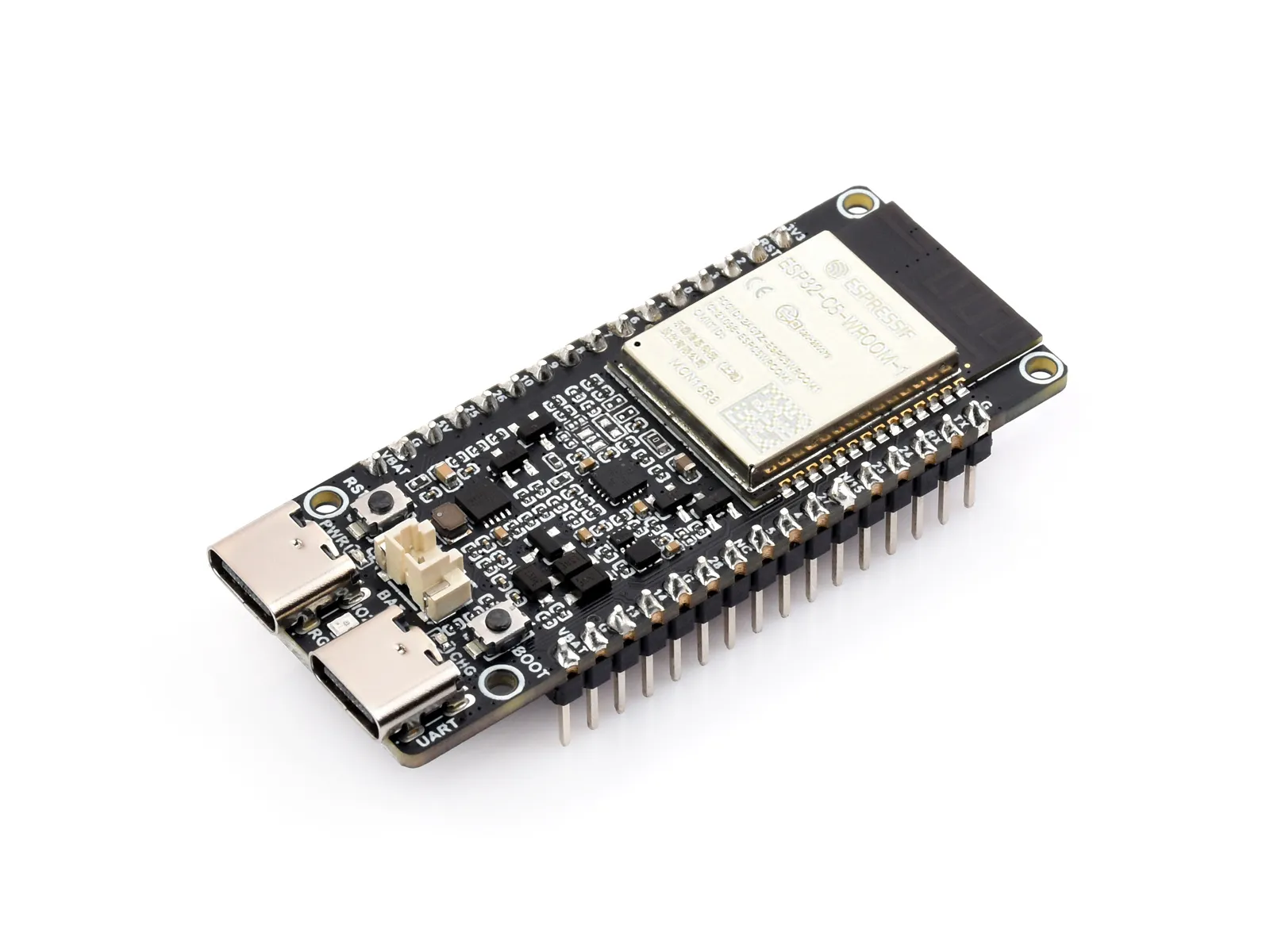
ESP32-C5
ESP32-C5 adds dual-band Wi-Fi 6 (2.4 GHz and 5 GHz) plus Bluetooth LE and IEEE 802.15.4 (useful for Matter / Thread-style IoT). Choose C5 when 5 GHz Wi-Fi or dual-band connectivity matters. The example photo is a Waveshare ESP32-C5-WIFI6-KIT (N16R4 class module).
ESP32-C6
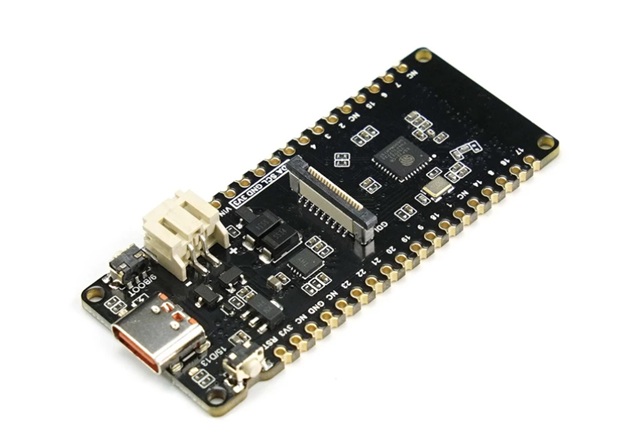
ESP32-C6 is a RISC-V IoT SoC with 2.4 GHz Wi-Fi 6, Bluetooth LE, and IEEE 802.15.4 for Zigbee / Thread / Matter-oriented designs. It is a common choice for modern smart-home nodes that need Wi-Fi 6 and 802.15.4 without 5 GHz. The example photo is a DFRobot FireBeetle 2 ESP32-C6.
ESP32-P4
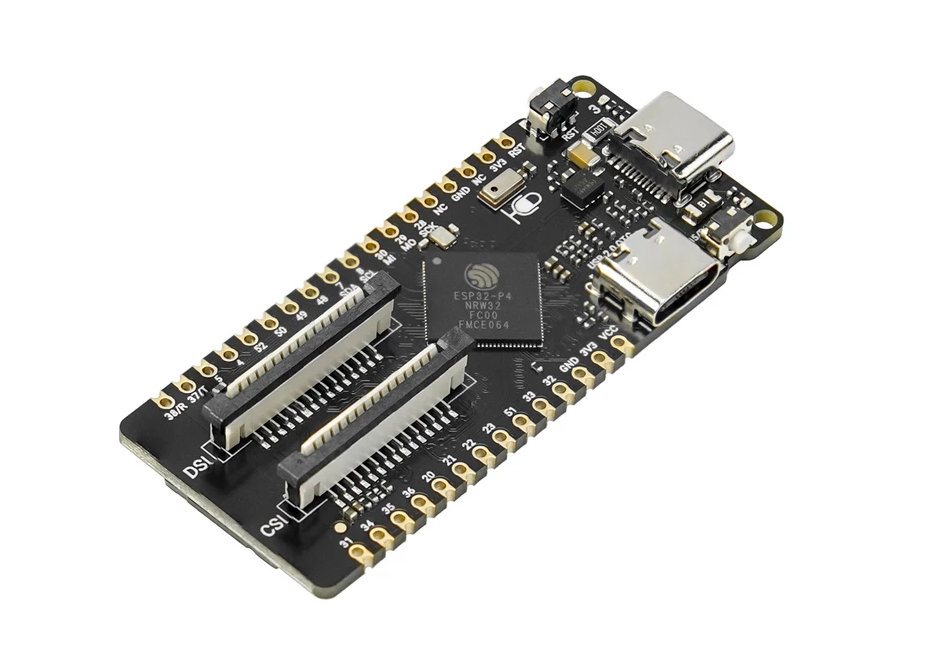
ESP32-P4 is Espressif's high-performance RISC-V SoC for rich human-machine interfaces and edge compute: dual-core CPU, MIPI-CSI camera and MIPI-DSI display paths, USB 2.0 HS, and media helpers such as H.264 encode. The P4 itself has no on-chip Wi-Fi or Bluetooth - many boards add a companion radio (often an ESP32-C6). The example photo is a DFRobot FireBeetle 2 ESP32-P4 with onboard MIPI CSI/DSI and a C6 co-processor for Wi-Fi 6. Choose P4 for displays, cameras and heavier local processing; choose a C-series or classic ESP32 when you only need a simple Wi-Fi node.
ESP32 versions at a glance
High-level comparison for course selection. Exact Flash/SRAM and pin counts depend on the module and vendor board.
| SoC | CPU | Wi-Fi | Bluetooth | 802.15.4 / Matter-oriented | Typical use |
|---|---|---|---|---|---|
| ESP32 (classic) | Xtensa dual-core | Wi-Fi 4 (2.4 GHz) | BT Classic + BLE | No | General Wi-Fi projects, largest community examples |
| ESP32-C3 | RISC-V single-core | Wi-Fi 4 (2.4 GHz) | BLE | No | Budget Wi-Fi + BLE nodes |
| ESP32-C5 | RISC-V | Wi-Fi 6 dual-band (2.4 + 5 GHz) | BLE | Yes (IEEE 802.15.4) | Dual-band / 5 GHz Wi-Fi IoT |
| ESP32-C6 | RISC-V single-core | Wi-Fi 6 (2.4 GHz) | BLE | Yes (Zigbee/Thread/Matter path) | Smart-home / Matter-class nodes |
| ESP32-P4 | RISC-V dual-core (high perf.) | No on-chip (companion radio) | No on-chip (companion radio) | Via companion if fitted | HMI, MIPI camera/display, edge compute |
Add ESP32 support in Arduino IDE 2
Install Espressif’s official board package once, then pick the board that matches your hardware.
| Step | Action |
|---|---|
| 1 | Open File → Preferences (Windows/Linux) or Arduino IDE → Settings (macOS) |
| 2 | In Additional Board Manager URLs add: https://espressif.github.io/arduino-esp32/package_esp32_index.json |
| 3 | Open Boards Manager; search esp32; install “esp32 by Espressif Systems” |
| 4 | Tools → Board → esp32 → choose a match (e.g. ESP32 Dev Module, ESP32C3 / C5 / C6 Dev Module, or ESP32P4 Dev Module) |
| 5 | Tools → Port → select the COM/tty port that appears when the board is plugged in |
| 6 | Upload Blink or this lesson’s sketch; if upload fails, try a data USB cable and the board’s BOOT button if required |
3.3 V safety when leaving the Uno
ESP32-family GPIO is 3.3 V. Never connect a 5 V Uno output directly into an ESP32 input. Many “5 V” sensors need level shifting or a 3.3 V-safe variant. Power the board only as the module documentation allows (often 5 V on USB, 3.3 V on the chip).
Wiring and safe build sequence
- Connect the ESP32 board with a USB data cable
- Install the Espressif board package using the steps in this lesson
- Select the correct board entry and port before upload
- If using an external LED, use a series resistor and a GPIO that is safe on your module (LED_BUILTIN if provided)
- Keep all external logic at 3.3 V-compatible levels
Worked sketch
Download .ino sketch// First ESP32 sketch - confirm board + port selection in the IDE.
// LED_BUILTIN works on many DevKits; if not, set LED_PIN to a labelled GPIO.
#ifndef LED_BUILTIN
#define LED_BUILTIN 2
#endif
const int LED_PIN = LED_BUILTIN;
void setup() {
pinMode(LED_PIN, OUTPUT);
Serial.begin(115200);
delay(500);
Serial.println("ESP32 family board ready");
}
void loop() {
digitalWrite(LED_PIN, HIGH);
Serial.println("LED on");
delay(500);
digitalWrite(LED_PIN, LOW);
Serial.println("LED off");
delay(500);
}How the code works
- Many ESP32 boards use 115200 baud for Serial by default in examples - match the Serial Monitor.
- LED_BUILTIN is not identical on every clone; check the silkscreen if the LED never blinks.
- Upload uses the Espressif toolchain from Board Manager, not the Uno AVR core.
Test and record evidence
Practical evidence checklist
Common faults and checks
- Board package missing: confirm the Additional Board Manager URL and install esp32 by Espressif Systems.
- Wrong board selected: classic ESP32 vs C3/C5/C6/P4 need different Board menu entries.
- No port: data cable, drivers, or try another USB socket.
- Upload fails at connect: hold BOOT while uploading on some boards, then release.
- LED silent: change LED_PIN to the GPIO labelled on your board.
- P4 board has no Wi-Fi in sketches: expected unless a companion radio (e.g. C6) is on the module and configured.
Check your understanding
Q1. What is the usual I/O voltage class for ESP32 pins compared with Uno R3?
Show answer
ESP32 is 3.3 V; Uno R3 is 5 V.
Q2. Which feature do most ESP32 Wi-Fi chips add that classic Uno R3 lacks on-board?
Show answer
Wi-Fi (and usually Bluetooth). ESP32-P4 is the exception: no on-chip radio.
Q3. What Board Manager package author should you install for ESP32 in Arduino IDE?
Show answer
Espressif Systems (package name esp32).
Q4. Name one difference between ESP32-C3 and ESP32-C6 at course level.
Show answer
Examples: C3 uses Wi-Fi 4; C6 adds Wi-Fi 6 and 802.15.4 for Zigbee/Thread/Matter-oriented use.
Q5. What is ESP32-P4 mainly for, and what does it lack on-chip?
Show answer
High-performance HMI / camera-display / edge compute; it has no on-chip Wi-Fi or Bluetooth (companion radio if wireless is needed).
Q6. Why might a 5 V sensor output be unsafe on ESP32?
Show answer
It can over-voltage a 3.3 V GPIO without level shifting.