
04. Sketch Structure, Variables & Types
Build readable sketches: setup/loop, named pins, suitable types, scope, and clean syntax.
Learning outcomes
- Explain the roles of global declarations, setup() and loop()
- Declare const pin names and changing variables with clear names
- Choose suitable Uno data types for pins, counts, flags and decimals
- Distinguish global and local scope
- Apply case sensitivity, semicolons, braces and useful comments
Parts and preparation
Arduino Uno, USB data cable and Arduino IDE 2. Use the onboard LED - no breadboard required.
Before power: inspect wiring, confirm supply voltage and ensure all connected circuits share GND.
What a sketch is
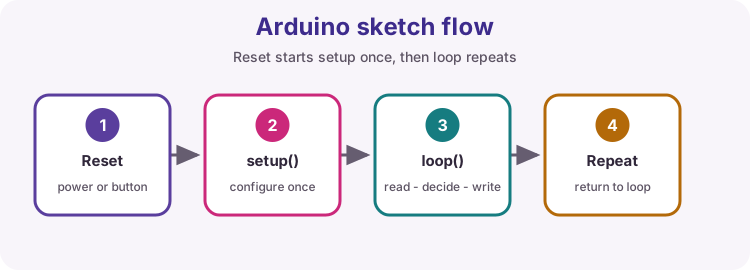
An Arduino program is called a sketch. After reset or power-up, the board runs your code from flash memory. Almost every sketch has the same backbone: optional global declarations, then setup(), then loop().
This lesson is about reading and writing that backbone clearly - before sensors and libraries pile on.
setup once, loop forever
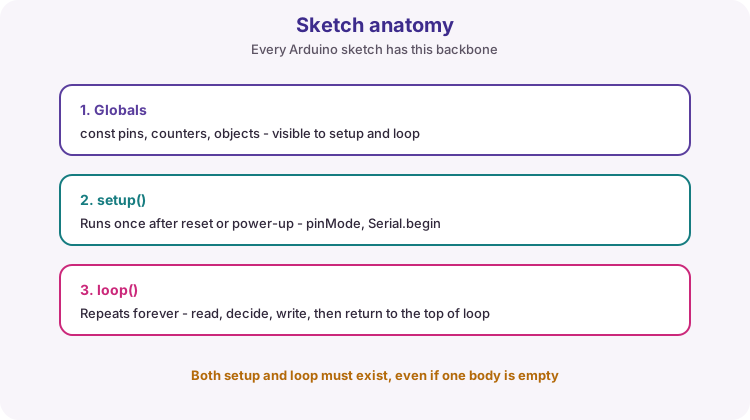
setup() runs exactly once after reset. Use it for configuration: pinMode, Serial.begin, and one-time starts.
loop() then runs repeatedly for as long as the board is powered. Each pass typically reads inputs, makes decisions, writes outputs, then returns to the top of loop.
Both functions must exist. An empty body { } is legal if you truly have nothing to do there yet.
void setup() {
  // runs once
}

void loop() {
  // runs again and again
}
Variables store changing values
A variable is a named place in memory that holds a value your program can read and update. Declare it with a type, a name, and usually an initial value.
Example: unsigned long flashCount = 0; creates a counter starting at zero. Later, flashCount++; increases it.
| Part | Meaning |
|---|---|
| Type | How the bits are interpreted (byte, int, ...) |
| Name | How you refer to the value in code |
| Initial value | Starting contents (recommended) |
unsigned long flashCount = 0;
bool ledOn = false;
flashCount++;
ledOn = !ledOn;
const for pins and fixed values
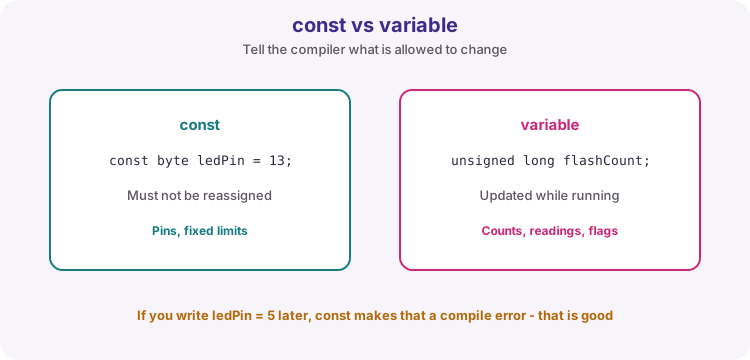
Use const when a name must not change after it is set - especially pin numbers. const byte ledPin = LED_BUILTIN; documents intent and lets the compiler reject accidental reassignment.
Course style: name pins clearly (ledPin, buttonPin). Some teams prefer LED_PIN in UPPERCASE for constants - pick one style and stay consistent in a sketch.
Choosing a type on the Uno
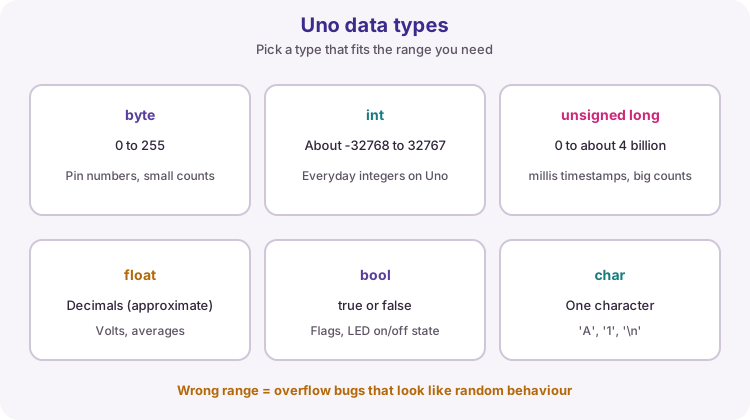
On a classic Uno (ATmega328P), common types have different ranges. Too small a type overflows - values wrap and look like random bugs.
Rules of thumb for this course: byte for pin numbers and small counts, int for everyday integers, unsigned long for millis() and long-running counters, float when you need decimals, bool for true/false flags.
| Type | Typical range / note | Course use |
|---|---|---|
| byte | 0 to 255 | Pin numbers, small indexes |
| int | About -32768 to 32767 on Uno | General integers |
| unsigned long | 0 to about 4.29 billion | millis, flash counts |
| float | Approximate decimals | Volts, averages |
| bool | true or false | Flags, LED state |
| char | One character | Serial characters later |
Global vs local scope
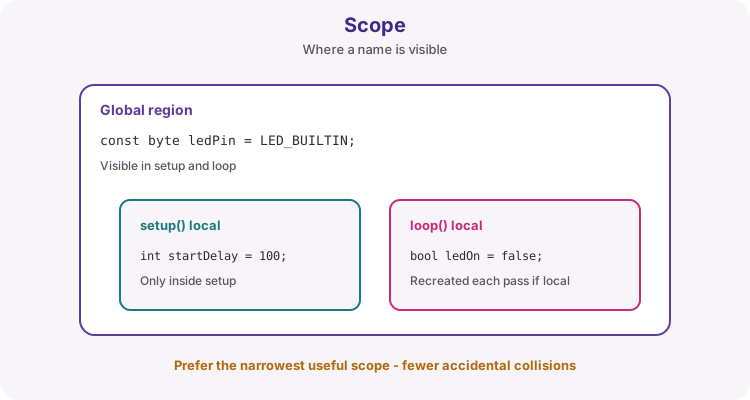
Scope is where a name is visible. A global declared above setup can be used by setup, loop and other functions. A local declared inside a function exists only in that block.
If you declare bool ledOn = false; inside loop, it is recreated every pass - fine for a temporary, bad if you expected it to remember the previous toggle. Prefer the narrowest useful scope so names do not collide.
Names people can read
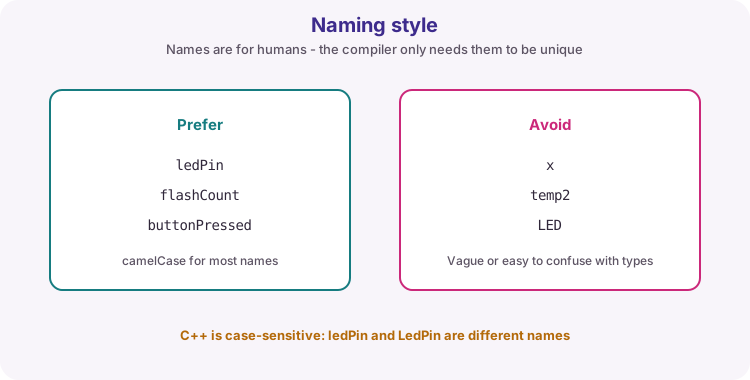
Good names beat long comments. Prefer ledPin and flashCount over x and temp2. Use camelCase for most variables and functions (buttonPressed, readSensor).
C++ is case-sensitive: setup and Setup are different. Arduino APIs use exact forms such as pinMode, digitalWrite, HIGH and LOW.
Syntax that trips beginners
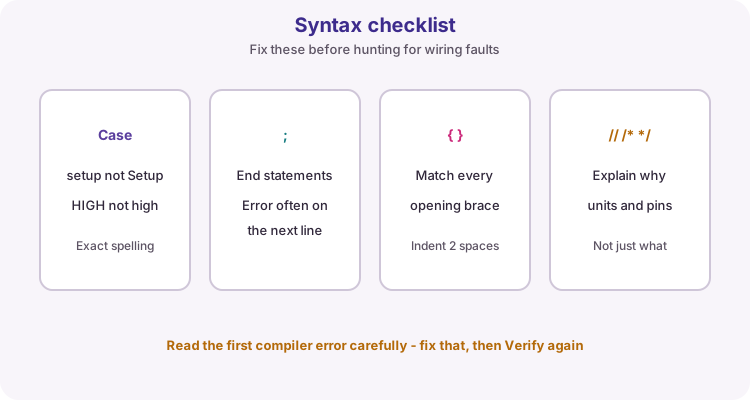
Most early red errors are punctuation or spelling, not electronics:
- Missing semicolon - the compiler often points at the next line - Mismatched { } braces - count them or use the IDE brace highlight - Wrong case - PinMode will not compile; pinMode will - Comments: // for one line, /* ... */ for a block - explain why, units and pin roles
Course style: put the opening brace on the same line as the function or if header, and indent nested blocks by 2 spaces.
void loop() {
  digitalWrite(ledPin, HIGH);  // statement ends with ;
  // this whole line is a comment
}
What the worked sketch practises
The onboard LED toggles every 500 ms. A bool remembers on/off. An unsigned long counts flashes and prints to Serial so you can watch the value grow.
delay(500) is fine for this first demo. Later lessons replace long delays with millis() when several tasks must stay responsive.
Wiring and safe build sequence
- No breadboard required - use the Uno onboard LED (LED_BUILTIN, usually pin 13)
- Connect USB data cable, select board and port, open Serial Monitor at 9600 baud
Worked sketch
Download .ino sketchconst byte ledPin = LED_BUILTIN; // onboard LED pin
unsigned long flashCount = 0; // grows each toggle - needs a wide type
bool ledOn = false; // remembers current LED state
void setup() {
pinMode(ledPin, OUTPUT);
Serial.begin(9600);
Serial.println("Lesson 04: structure, variables, types");
}
void loop() {
ledOn = !ledOn; // flip true/false
digitalWrite(ledPin, ledOn); // bool works as HIGH/LOW here
flashCount++;
Serial.print("flashCount = ");
Serial.println(flashCount);
delay(500);
}How the code works
- const byte is enough for a pin number (0-255).
- ledOn = !ledOn; toggles a Boolean with the NOT operator.
- flashCount is unsigned long so a long run will not overflow as quickly as int.
- Serial.print labels make the Monitor easier to read than bare numbers.
Test and record evidence
Practical evidence checklist
Common faults and checks
- Check exact capitalization of setup, loop, pinMode, HIGH and LOW.
- A missing semicolon often causes an error reported on the next line.
- Blank Serial: match Monitor baud to Serial.begin(9600) and use a USB data cable.
- LED never blinks: confirm board/port, and that you uploaded this sketch (not an empty one).
- If you move ledOn inside loop without care, it may reset every pass - that is a scope lesson.
Check your understanding
Q1. What runs once after reset, and what repeats?
Show answer
setup() runs once; loop() repeats.
Q2. Why use const for a pin number?
Show answer
It documents that the value must not change and lets the compiler prevent reassignment.
Q3. Why is flashCount an unsigned long instead of byte?
Show answer
A long-running counter can exceed 255 (and even int range); unsigned long fits millis-scale counts better.
Q4. What is local scope?
Show answer
The region inside a block or function where a declared name is visible.
Q5. Why might the compiler complain about Setup()?
Show answer
C++ is case-sensitive; the required function name is setup with a lowercase s.